The AI kernel for agents. Desktop for Windows (preview), the terminal app and the SDK, on one runtime. ChangelogTerminal app MIT · SDK FSL-1.1-MIT
The AI kernel for every agent.Namzu.
An operating system for AI agents. Namzu runs an agent the way an operating system runs a process: it gives it an identity and a budget, schedules its tool calls, and checkpoints its turns.
Download for Windows
curl -fsSL https://raw.githubusercontent.com/cogitave/namzu/main/install.sh | shDesktop is an unsigned Windows preview, so Windows warns first. What to expect. Node.js 22.13 or newer for the terminal app.
README example, reflowed. It needs no key and no network. The output line is the example’s own scripted answer.
- Process modelIdentity and budgetScheduled tools, checkpointed turns
- One runtimeDesktop, terminal, SDKThe same kernel under all three
- ProvidersTen driversOne package per service
- ResilienceRecovers by itselfNo dead end on a recoverable failure
- IsolationSandboxesContainer, Kubernetes, microVM
- SourceSource availableFSL-1.1-MIT and MIT
The kernel renders no UI and requires no database, and you install only the drivers you use. Desktop, the terminal app and the SDK are three ways into the same runtime.
What the kernel does.
An identity, a budget, scheduled tool calls, checkpointed turns. The SDK kernel runs an agent the way an operating system runs a process. It renders no UI and requires no database.
Proof: README.md#for-developers
Desktop, the terminal app and the SDK run on the same kernel. Folder trust, model choice and approvals behave the same in all three, because there is one runtime beneath them.
Proof: docs/cli/desktop.md
The kernel talks to a model through a driver package. Install only the drivers you use. Reuse a sign-in already on your machine, sign in from the model picker, use an API key, or run local models.
Proof: docs/cli/credentials.md
Tool calls can run inside a sandbox the kernel acquires. @namzu/sandbox carries container, Kubernetes and microVM backends, and the first model request does not have to wait for the sandbox to be allocated.
A recoverable failure does not end the conversation. The runtime repairs and resends a request a provider rejects, retries a stream cut after reasoning only, and keeps the conversation when it grows too long.
Proof: docs/sdk/request-repair.md
The kernel stays small. Capabilities are packages you add. Leaf packages depend on the SDK and not on one another.
Proof: README.md#for-developers
Delegated work, jobs that run while you are away, tool servers. Scheduled jobs run under a permission set you wrote down; a call they do not allow waits or is refused. MCP servers are declared by command or URL.
Proof: docs/cli/scheduled-tasks.md
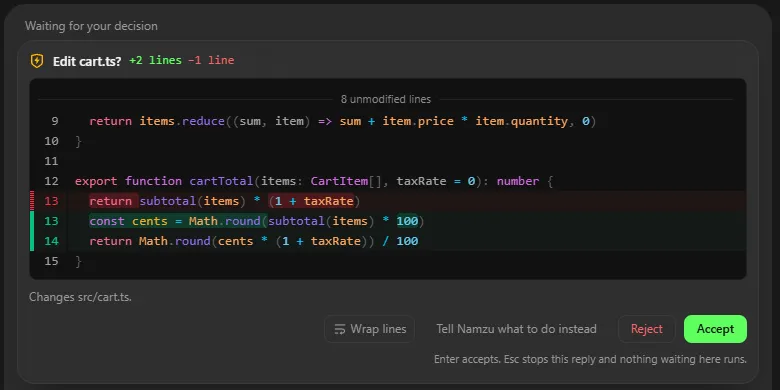
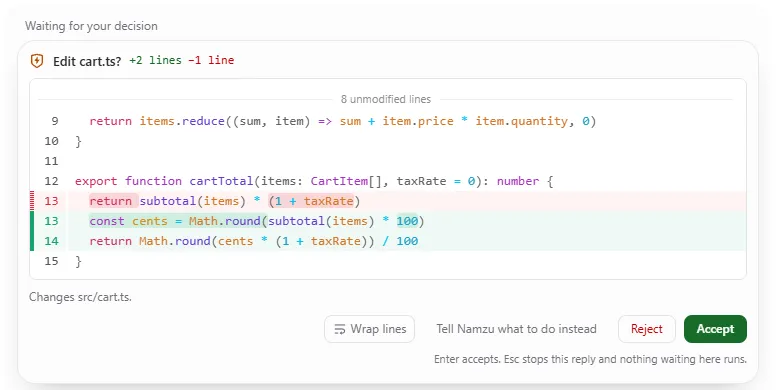
A path outside your folder is an approval request. Commands and file tools run under a permission system, and /restore N puts the tree back to before turn N.
Proof: docs/cli/tool-boundary.md
One kernel, three ways in.
03 views
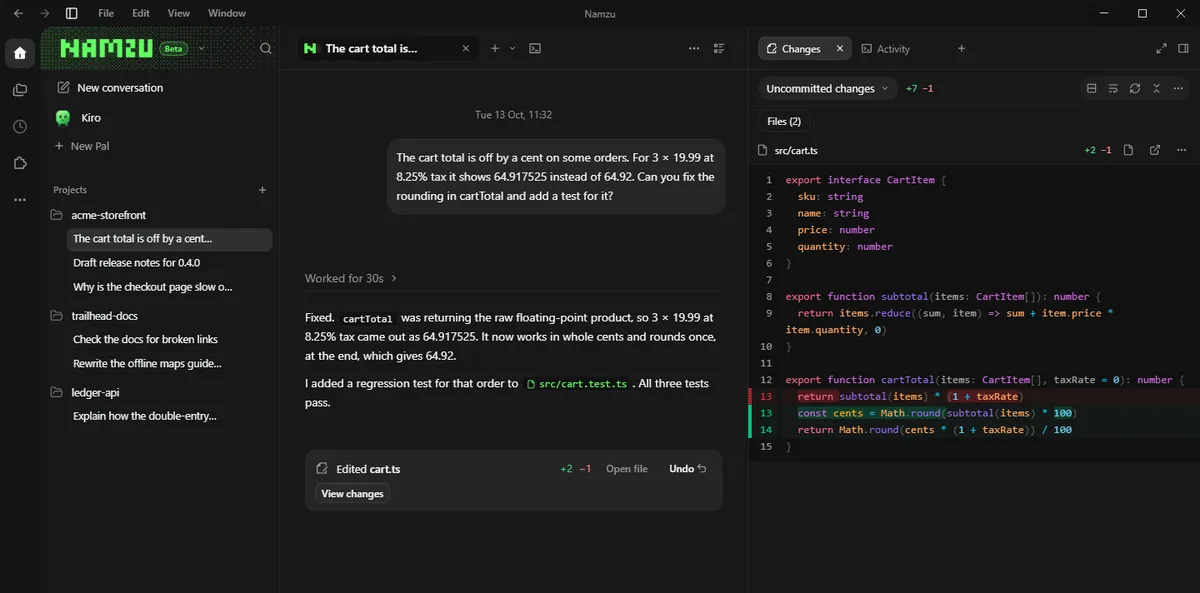
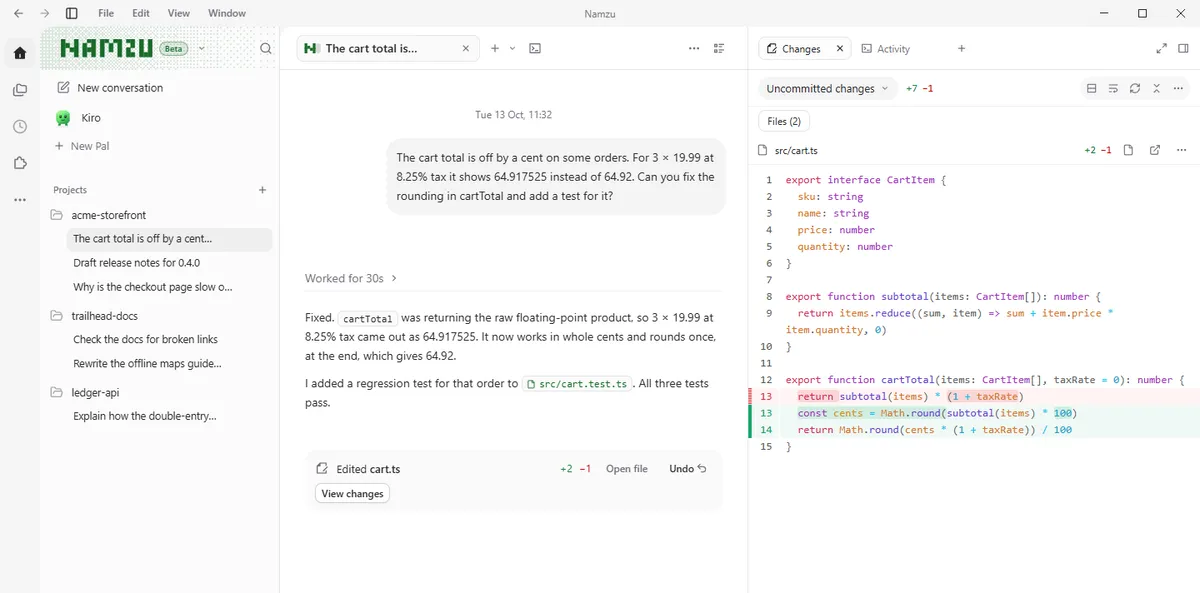
Desktop, built on the kernel.
The kernel, in windows of their own.
Desktop runs on the same runtime as the terminal app, so folder trust, model choice and permission review behave the same in both. Conversations and projects get windows of their own.
Download for Windows (preview)Unsigned preview, about 500 MB. Windows 10 or 11 (64-bit), installed for your user, no administrator rights. Windows warns before it runs: choose More info, then Run anyway; or in “Open File - Security Warning”, choose Run. macOS and Linux: not yet, use the terminal agent. Desktop guide
Your records. Your drivers.
state on your machine
Sessions live on your machine.
The SDK writes one append-only, hash-chained log per session, so a crash loses at most the line being written. Notes you curate are read into every conversation. Session storage
any provider
One driver package per service.
The kernel talks to a model through a driver, so switching provider is a configuration change and you install only the drivers you use. Sign-ins already on your machine are found, or sign in with namzu login.
- @namzu/anthropic
- @namzu/openai
- @namzu/deepseek
- @namzu/bedrock
- @namzu/openrouter
- @namzu/google
- @namzu/ollama
- @namzu/lmstudio
- @namzu/zen
- @namzu/http
An agent runs the way an operating system runs a process. Namzu gives it an identity and a budget, schedules its tool calls, and checkpoints its turns.
- 01 IdentityAttributes every action. Tenant, project, topic and session identities travel with the work.
- 02 BudgetStops runaway work. Token, cost, time and iteration budgets, with a warning before the hard stop.
- 03 ScheduleMakes tools declare what they are. Read-only, destructive, concurrency-safe, permissions needed.
- 04 CheckpointSurvives a restart. An append-only, hash-chained session log; a paused turn can be picked up later.
agent.ts · needs no key and no network
pnpm add @namzu/sdk zod@^3, then pnpm exec tsx agent.ts. Pin zod to v3: a bare pnpm add zod installs v4. SDK quick start
What the kernel owns. What it leaves to you.
[ the kernel owns ]
- Identitytenant, project, topic and session ids on every action
- Budgettoken, cost, time and iteration limits
- Schedulingtool calls declare read-only, destructive, concurrency-safe
- Checkpointsan append-only, hash-chained session log
- Recoveryrequest repair and retries, so failures do not dead-end
- Permission reviewpaths outside the folder are an approval request
[ you bring ]
- Model driverinstall only the ones you use
- The UIthe kernel renders none
- Storagethe kernel requires no database
- Your toolsplus MCP servers by command or URL
- Capabilitiesbrowser, computer-use, files, live, lsp, sandbox...
From For developers, request repair and where tools run.
Pals: named agents on the kernel.
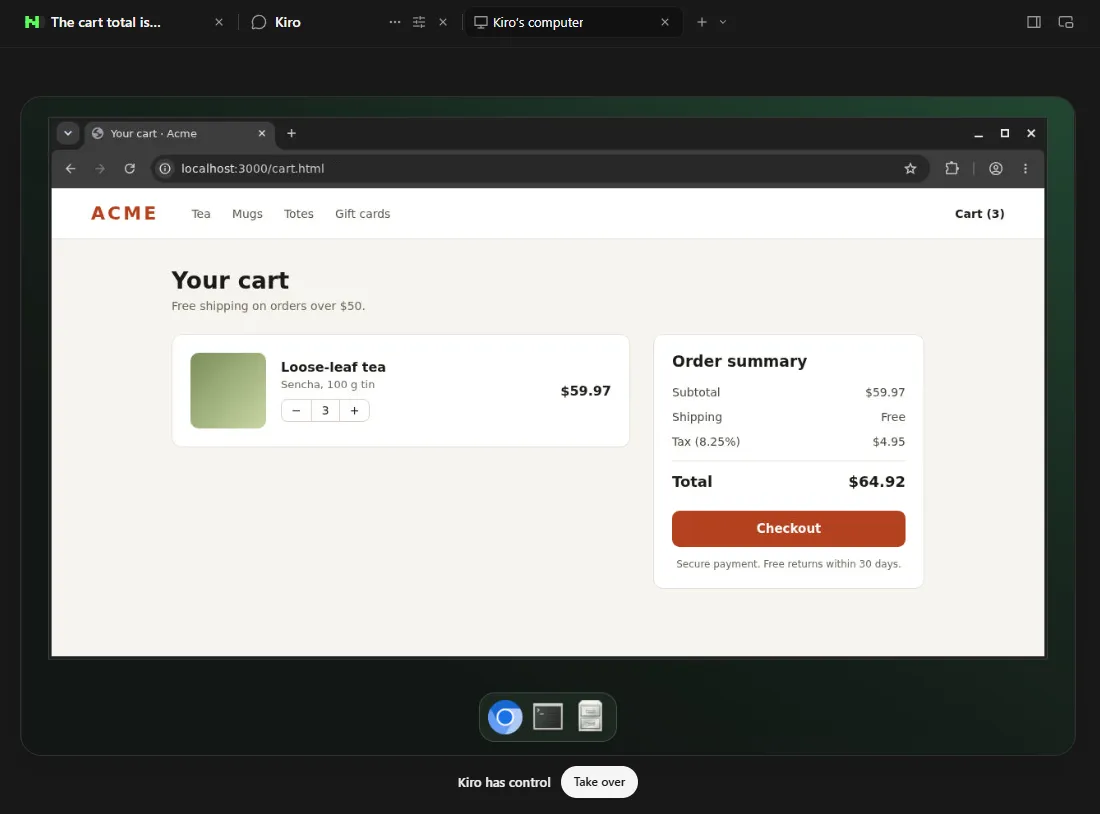
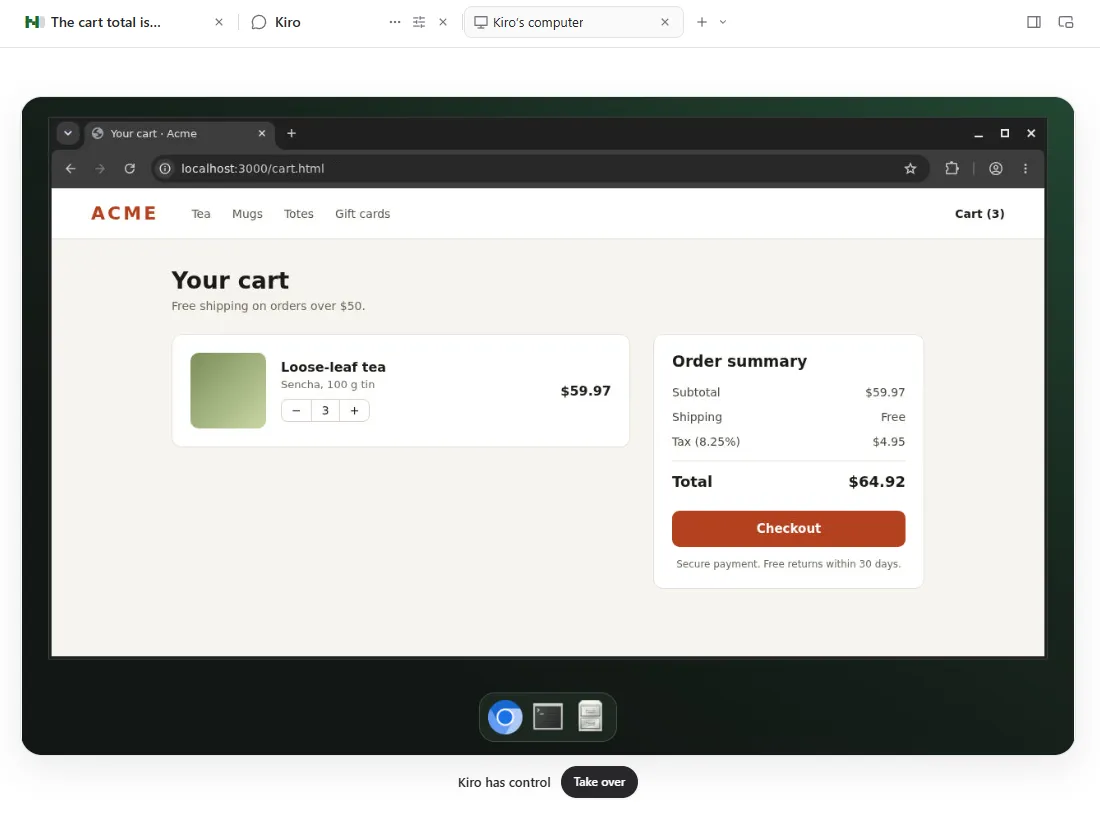
A named agent that remembers its purpose. Optionally with its own Linux desktop.
A Pal keeps its name, purpose and conversations between sessions. A Pal computer has a browser and a files app: you see what it is doing, you can pause it at any time, and you can take over. Namzu never silently installs the container engine or pulls its image; you turn the computer on explicitly.
Source available, and honest about its status.
Read it, run it, fork it.
The SDK and most packages are FSL-1.1-MIT: use, modify and redistribute them for any purpose except a Competing Use, and every published version converts to MIT two years after its release. The terminal app and the files package are MIT.
- Terminal agentpublished, MIT
- SDKpublished, FSL-1.1-MIT
- DesktopWindows, unsigned preview
- @namzu/lsppre-1.0
- Versionsmajors move quickly
What you get.
Identity. On every action.
Tenant, project, topic and session ids travel with the work.
Budgets. Runaway work stops.
Token, cost, time and iteration limits, with a warning first.
Scheduled tools. They declare what they are.
Read-only, destructive, concurrency-safe.
Checkpoints. A turn survives a restart.
An append-only, hash-chained session log.
Recovery. No dead end.
Rejected requests are repaired and resent.
Scriptable. One prompt, or a stream.
namzu exec --json writes one event per line.
Install the terminal app.
On macOS, Linux or WSL, run the installer. On Windows, use PowerShell. Then namzu doctor checks your sign-in and sandboxing, and namzu opens the app. You need Node.js 22.13 or newer; the installers do not install it.
curl -fsSL https://raw.githubusercontent.com/cogitave/namzu/main/install.sh | shNo curl? On minimal Debian or Ubuntu, wget -qO- <url> | sh does the same. Windows Command Prompt: npm.cmd install --global @namzu/cli. Every shell, and what to do when an install fails.
What does “AI kernel” mean here?
@namzu/sdk is the TypeScript kernel the terminal app is built on. It runs an agent the way an operating system runs a process: it gives the agent an identity and a budget, schedules its tool calls, and checkpoints its turns. It renders no UI and requires no database. See For developers.
How do I install it?
The terminal agent installs with one line on macOS, Linux and WSL, or in Windows PowerShell. Then run namzu doctor to check your sign-in and sandboxing, and namzu to open the app. Every shell is covered in installing Namzu.
curl -fsSL https://raw.githubusercontent.com/cogitave/namzu/main/install.sh | sh
irm https://raw.githubusercontent.com/cogitave/namzu/main/install.ps1 | iex
What do I need first?
Node.js 22.13 or newer. The installers do not install Node for you: get it from nodejs.org, with nvm install 22, or on Windows with winget install OpenJS.NodeJS.LTS. The SDK needs Node.js 20 or newer and zod v3.
Which models can I use?
Ten drivers ship today, one package per service: Anthropic, OpenAI, DeepSeek, Amazon Bedrock, OpenRouter, Google, Ollama, LM Studio, Zen and a dependency-free HTTP driver for any compatible endpoint. You install only the drivers you use. See credentials.
What happens when a provider rejects a request?
The runtime repairs what it can and resends, so a conversation does not dead-end on a recoverable failure: it drops an unsupported parameter, removes a reasoning block the provider will not take, replaces media it cannot process with a note, and keeps the conversation when it grows too long. See request repair and context limits.
Where are my conversations stored?
On your machine. The SDK writes one append-only, hash-chained log per session, so a crash loses at most the line being written. See session storage and the session log.
Does it still ask before it acts?
Yes, as one of the kernel’s guarantees. Commands and file tools run under a permission system. A path outside the working folder is always an approval request, even in a mode that allows other tools, and with nobody to ask, such as a headless namzu exec, it is refused and never approved on its own. See where tools run.
Is Namzu Desktop signed?
No. It is an unsigned preview for Windows 10 and 11 (64-bit), so Windows warns before it runs. If the page says “Windows protected your PC”, choose More info, then Run anyway. If the box says “Open File - Security Warning”, choose Run. There is no macOS or Linux build yet; use the terminal agent there. See the desktop guide.
What is the licence?
The SDK and most packages are FSL-1.1-MIT. You may use, modify and redistribute them for any purpose except a Competing Use, and every published version converts to MIT two years after its release. The terminal app (@namzu/cli) and @namzu/files are MIT. Read LICENSE.md.
Changelog
Shipped in the open.
v37.0.1
Latest entry in the repository changelog for @namzu/cli.
- FIX37.0.1A conversation that grows too long, or a picture the model cannot read, no longer tells you to start over. Namzu points you to /model instead.
- MAJOR37.0.0Shell hooks can answer with JSON, and the permission tables from your config files are now combined, with a deny in any of them winning.
- FEAT36.6.0A model call that fails for a reason that may pass, such as a dropped connection or an overloaded server, is retried up to ten times.
- FEAT36.5.0Shift+Tab and the permission prompt follow the reference terminal, and an answer to a prompt now stays scoped to what you approved.
Run your agents on a kernel.Namzu, the AI kernel for agents.
Download for Windows
curl -fsSL https://raw.githubusercontent.com/cogitave/namzu/main/install.sh | shDesktop: unsigned Windows preview · Terminal app: Node.js 22.13+